Nebula PLUS AI System Connector

Connect Existing Systems—
So AI Understands the Business and Gets Work Done

Connect existing systems without rebuilding them. Reuse their business capabilities, employee identity, functional access and data access to create an enterprise workspace for safe cross-system queries, analysis and business actions.

See How WorkBuddy Gets Work Done

Keep existing systems · retain employee access · confirm key actions

Connect once and safely reuse business capabilities across AI entry pointsAn employee makes a request in an AI workspace. Nebula PLUS connects existing systems under identity, access, data and audit controls.AI WORKSPACEWorkBuddyAIQuery and explain orders,then prepare the next actionQQueryAAnalyzeDActEmployee makes a business requestNebula PLUSAI System ConnectorIdentityAccessDataAuditEXISTING SYSTEMSERPCRMMESWMSOAMoreResults · Business pagesSTATUSConnectingSuccessBlockedNo data
Connect once and safely reuse business capabilities across AI entry points

WorkBuddy Supported

IMPLEMENTED PRODUCT DEMO

Ask Once. AI Gets the Business Work Ready.

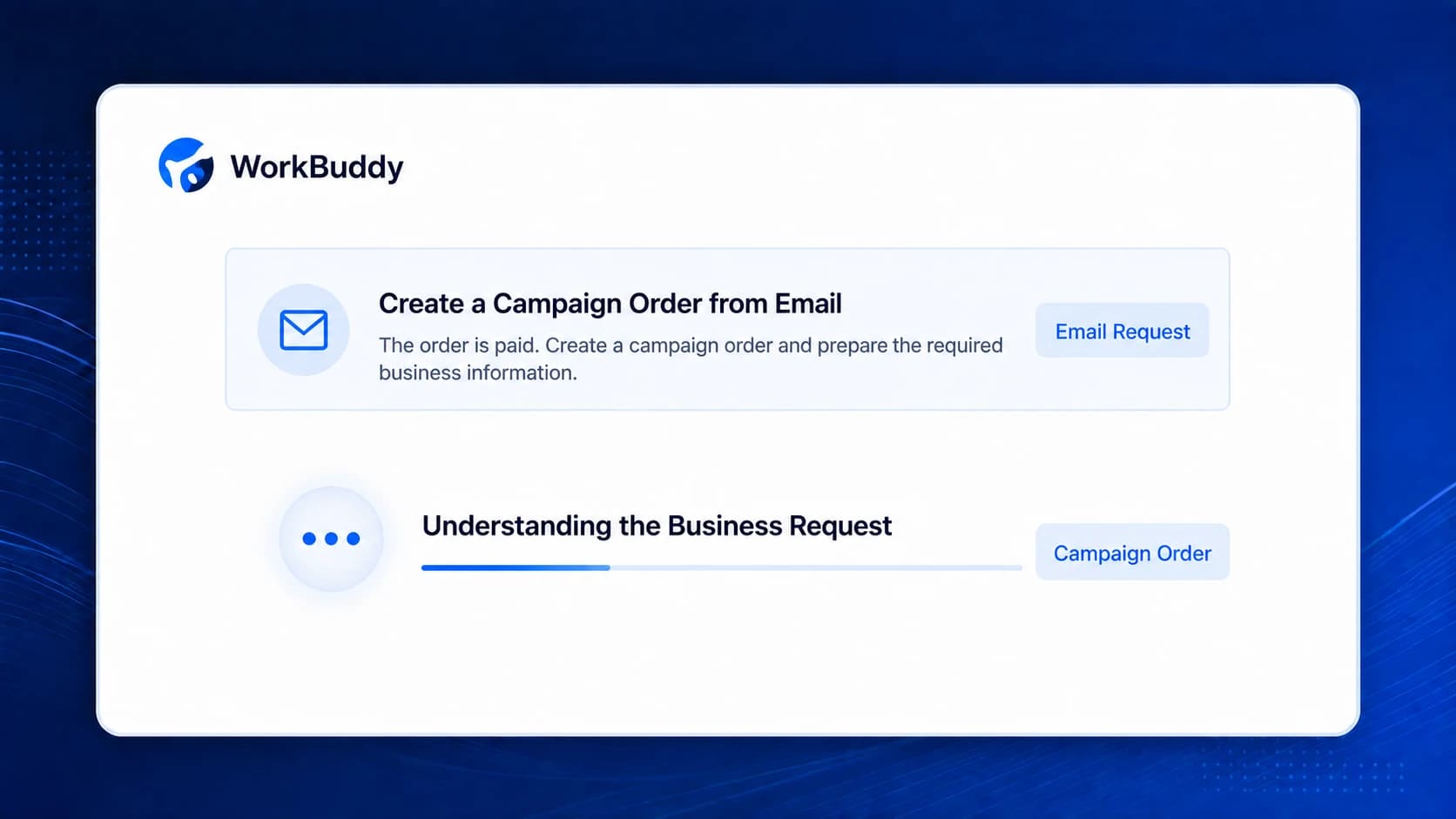
AI understands the request, retrieves and validates information through existing systems, then opens and prefills the original business page. The employee remains in control of submission.

Simplified from a real product workflow with demo data. It does not represent a named customer outcome.

FROM ANSWERS TO COMPLETED WORK

Query Data, Analyze and Act in One Workspace

Employees simply explain the task. Nebula PLUS finds the right systems, prepares the business information and returns the result to their current workspace.
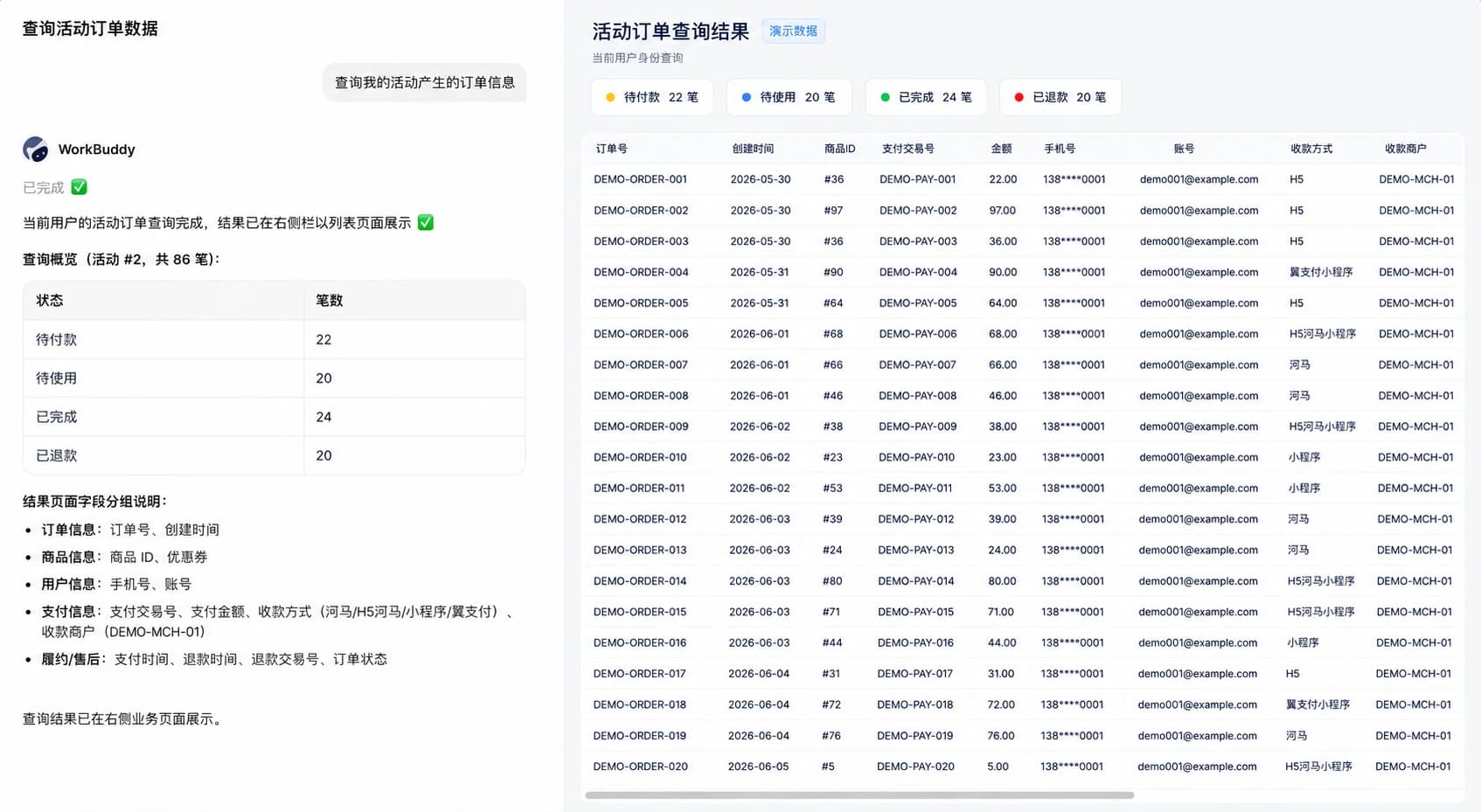
REAL PRODUCT INTERFACEQuery Data
Chinese interface
WorkBuddy queries activity orders as the current employee and opens the complete result in a business page
A business list ready to review and filterActual product capability demo · Demo data · Not a customer case

KEEP EXISTING SYSTEMS

Keep Existing Systems Running. Give AI One Business Entry Point.

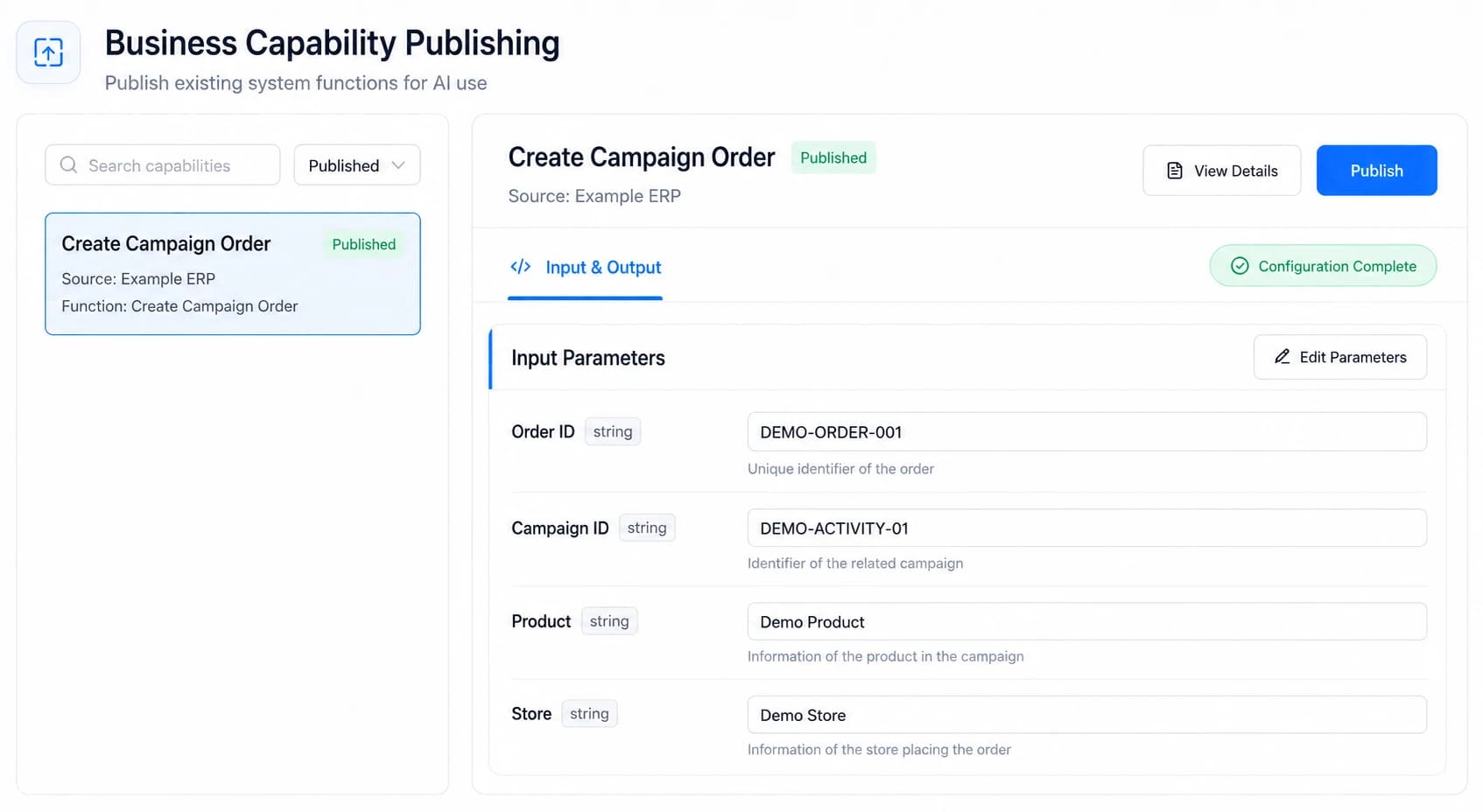
Business logic, identity, permissions and pages stay managed by source systems. Nebula PLUS connects only published and authorized capabilities without changing business truth or approval rules.

Explore Integration Methods
Nebula PLUS gives multiple AI workspaces one governed connection to existing systems without rebuilding themSource systems retain business truth and final access decisions. Nebula PLUS exposes only published and authorized capabilities.AI WORKSPACESOne entry pointWorkBuddyDeepSeekHarnessEnterprise AIOne place to query, analyze and actConnection readyNebula PLUSAI System ConnectorEmployee identityCapability accessPermission checkCall auditOnly published, authorized capabilitiesEXISTING SYSTEMSRunning as-isERPCRMMESWMSOABusiness logicUser identityData accessBusiness pagesNo replacement · No migration · Existing approvals stay in placeSource systems retain business truth and final access decisions. Nebula PLUS exposes only published and authorized capabilities.AI WORKSPACESOne entry pointWorkBuddyDeepSeekHarnessEnterprise AIConnection readyNebula PLUSAI System ConnectorEmployee identityCapability accessPermission checkCall auditOnly published, authorized capabilitiesEXISTING SYSTEMSRunning as-isERPCRMMESWMSOASystems retain logic, identity, access and pagesNo replacement · No migration · Existing approvals stay in place
RUNTIME FEEDBACK
CheckingValidating identity and access
AuthorizedContinue with employee access
BlockedStop unauthorized or failed requests
No capabilityUnpublished capabilities stay closed
Source systems retain business truth and final access decisions. Nebula PLUS exposes only published and authorized capabilities.

CAPABILITY PANORAMA

From Finding Data to Completing Cross-system Work

The page first explains what employees can accomplish. Technical names remain secondary for IT evaluation.

WorkBuddyEMPLOYEE REQUEST
01Data

Query Data

Find orders, inventory, customers and metrics

02API

Use System Functions

Invoke functions already available to the employee

03Page

Open Business Pages

Open original pages and prefill business information

04Skill

Reuse Business Skills

Package common rules and actions for reuse

05Agent

Complete Multi-step Work

Coordinate multiple systems to finish one task

ERPCRMMESWMSOA
One connection layer—from finding data to completing work.

REAL PRODUCT PROOF

From Publishing Capabilities to Identity and Traceability

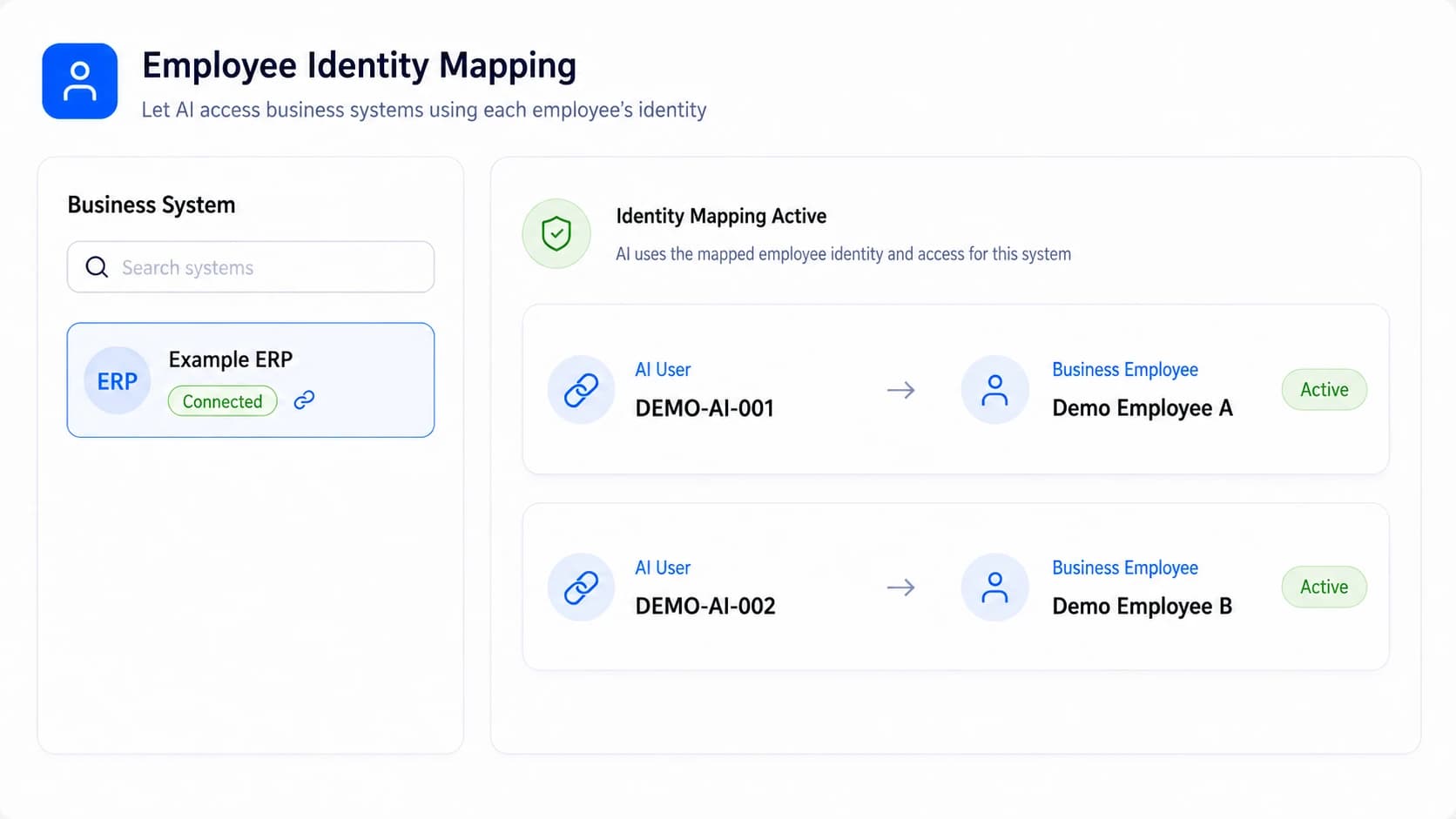
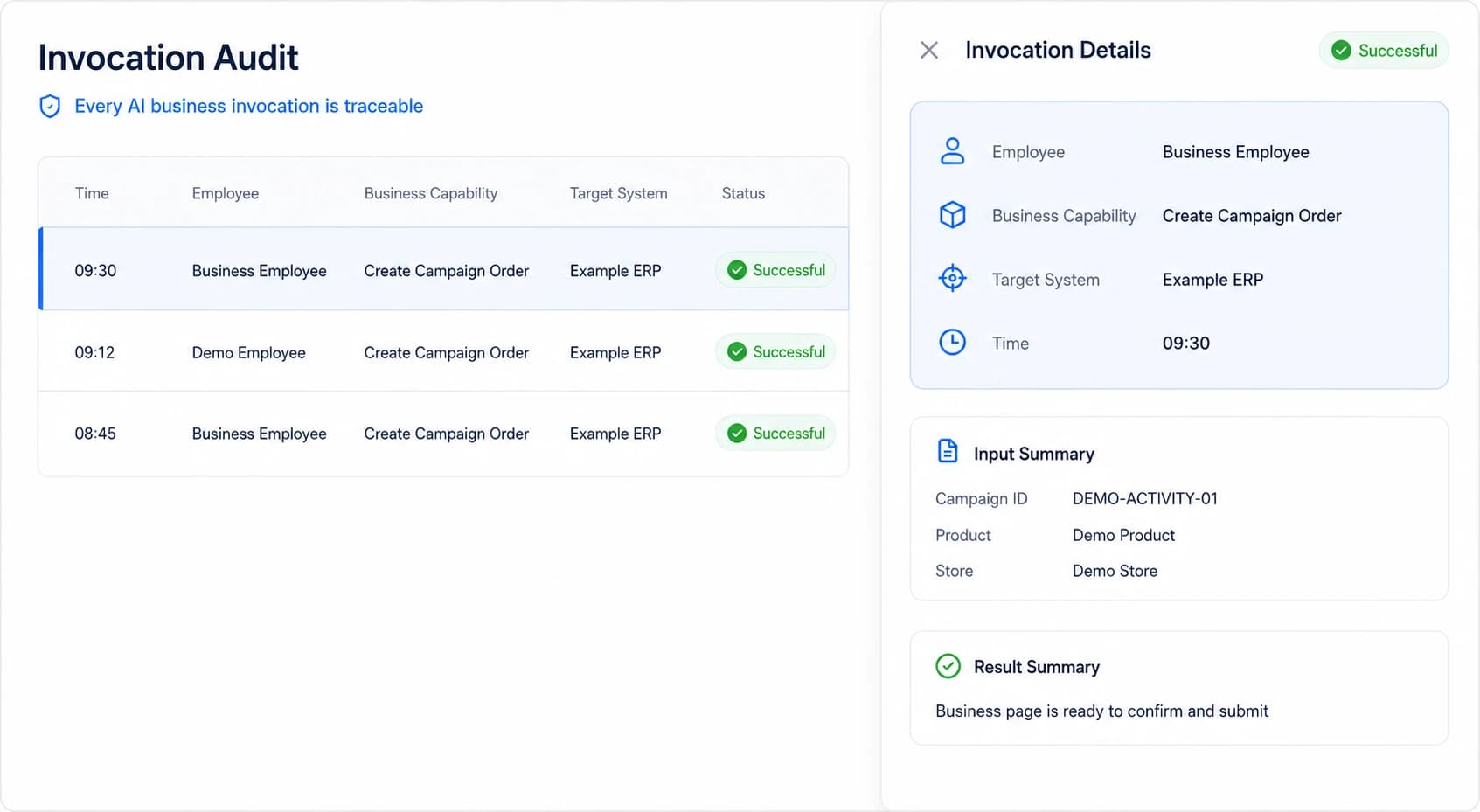
These interfaces are based on implemented product functions, use demo data and retain only the information enterprise buyers need to understand.

AI BUSINESS PASS

AI Uses Each Employee’s Permissions—Never a Super Account

Every business request is tied to a real employee and remains subject to source functional and data access. Employees confirm key actions before execution.

ID
AI BUSINESS PASSDemo Employee · Supply Chain
IDENTITY VERIFIED
  1. 01
    Real EmployeeWho is using AI
  2. 02
    Functional AccessWhat they can use
  3. 03
    Data AccessWhat they can see
  4. 04
    Human ConfirmationWhether key actions submit
  5. 05
    Action RecordEvery step is traceable
  6. 06
    Immediate RevocationRole changes apply at once
AI uses each employee’s own business permissions—not a super account with access to everything.

IMPLEMENTATION PATH

Start With One High-value Scenario and Expand Gradually

Choose one verifiable business problem, then assess, connect, publish and authorize without transforming every system at once.

  1. 01

    Choose a Scenario

    Start with one high-value business problem

  2. 02

    Assess Systems

    Confirm pages, data and access conditions

  3. 03

    Connect Capabilities

    Connect the required system functions

  4. 04

    Publish & Authorize

    Publish to WorkBuddy and authorize employees

  5. 05

    Validate the Workflow

    Validate query, analysis, action and confirmation

RELEASE & SUPPORT

Current Release v1.5.2

A public baseline for enterprise selection and technical evaluation. Exact compatibility is confirmed during project assessment.

Download Product Whitepaper
Release date
June 15, 2026
Supported AI entry points
WorkBuddy, DeepSeekHarness and standard MCP clients
Integration resources
Common and domestic databases, RESTful APIs, business pages, Skills and Agents
Publishing & access
Version management and rollback; access by employee, user group or organization
Deployment
Customer server or private cloud, dedicated single tenant, multi-tenant SaaS and hybrid
Environment
Internal/external network isolation; adaptable to domestic technology environments subject to project assessment

WHEN NEW CAPABILITIES ARE NEEDED

Add Missing Pages, Workflows and APIs With the AI Coding Platform

Reuse existing systems first. When something is genuinely missing, the AI Coding Application Platform builds and independently delivers the new capability.

Explore the AI Coding Application Platform

FAQ

Common Enterprise Questions

A 45–60 minute session can establish an initial connection assessment around one real scenario.

01Do we need to rebuild existing systems?

No. The connector first reuses existing data, system functions, business pages, accounts and permissions.

02Is WorkBuddy supported today?

Yes. Employees can make requests in WorkBuddy while Nebula PLUS connects systems and prepares the business result.

03Can AI bypass source-system permissions?

No. AI represents a real employee and remains subject to source functional and data access.

04Can AI submit business actions automatically?

AI can query, validate and prefill pages. Employees can confirm create, update and approval actions before execution.

05Are the demonstrations customer stories?

No. WorkBuddy and business-page visuals demonstrate product capabilities. There is currently no public AI System Connector customer story.

Start Connecting With One Real Business Workflow

Define connectable systems, permission boundaries, the first scenario and an implementation path.