
Employee personal account
SECURITY & GOVERNANCE
AI Uses Each Employee’s Permissions—Never a Super Account
Every AI request maps to a real employee and remains subject to the source system’s functional and data access. Queries and validation may run automatically, while create, update, delete and approval actions require employee confirmation by default.
- ✓ Real Employee Identity
- ✓ Source-system Access
- ✓ Human Confirmation
- ✓ End-to-end Traceability
ONE GOVERNED AI BUSINESS REQUESTTWO-LAYER ACCESS CONTROL
Capability AuthorizedKey Action Confirmed
ERPCRMMESWMSOA
Existing functional and data access
- 01Identity
- 02Access Check
- 03Confirmation
- 04Audit
AI BUSINESS PASS
AI Can Only Do What the Employee Can Do
Nebula PLUS combines connector capability authorization with the target system’s existing permission decision. Functional and data access remain subject to the target system—never a shared super account.
ID
AI BUSINESS PASSDemo Employee · Supply Chain
✓ IDENTITY VERIFIED- 01Real EmployeeWho is using AI
- 02Functional AccessWhat they can use
- 03Data AccessWhat they can see
- 04Human ConfirmationWhether key actions submit
- 05Action RecordEvery step is traceable
- 06Immediate RevocationRole changes apply at once
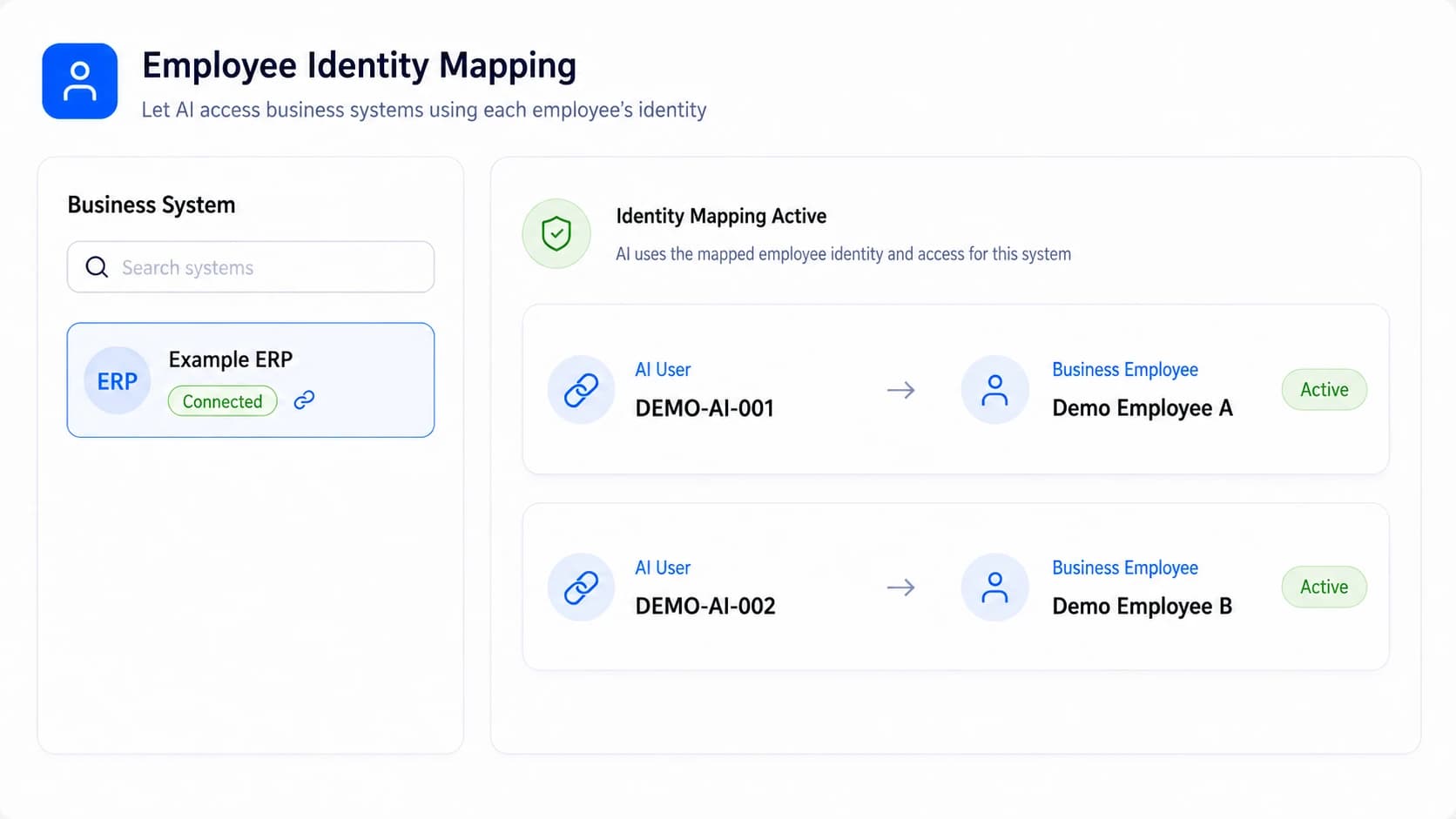
EMPLOYEE IDENTITY MAPPING
First Establish Which Real Employee AI Represents
Map the user in WorkBuddy or another AI entry point to the employee’s personal business-system account. Custom authentication is supported and every subsequent request has a clear accountable identity.
- ✓ Use the employee’s personal account
- ✓ Support custom authentication and mapping
- ✓ Stop access when a mapping is disabled
KEY ACTION CONFIRMATION
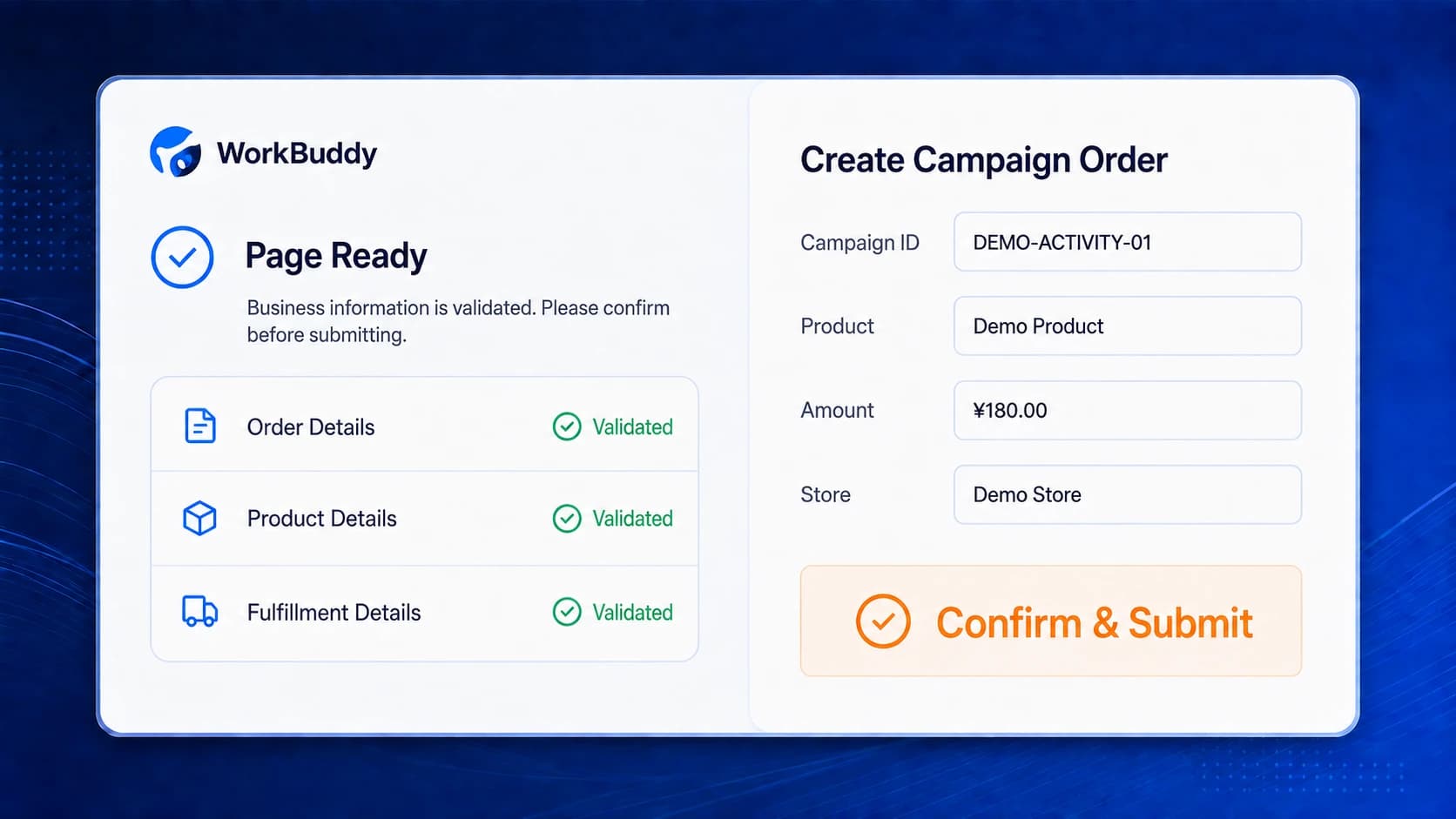
AI Prepares the Work. The Employee Confirms Submission.
Create, update, delete and approval actions require human confirmation by default. Each capability can require confirmation or allow automatic execution; employees confirm in the business page or AI workspace before the connector makes the final API submission.
- 1Configure confirmation per capability
- 2Confirm in the page or AI workspace
- 3Connector makes the final submission
INVOCATION AUDIT
Review Who Did What, When and With Which Result
Invocation records retain input parameters, output results or summaries. They can be queried and exported by employee, system, capability, time and result; retention is customer-configured and sensitive fields can be masked.
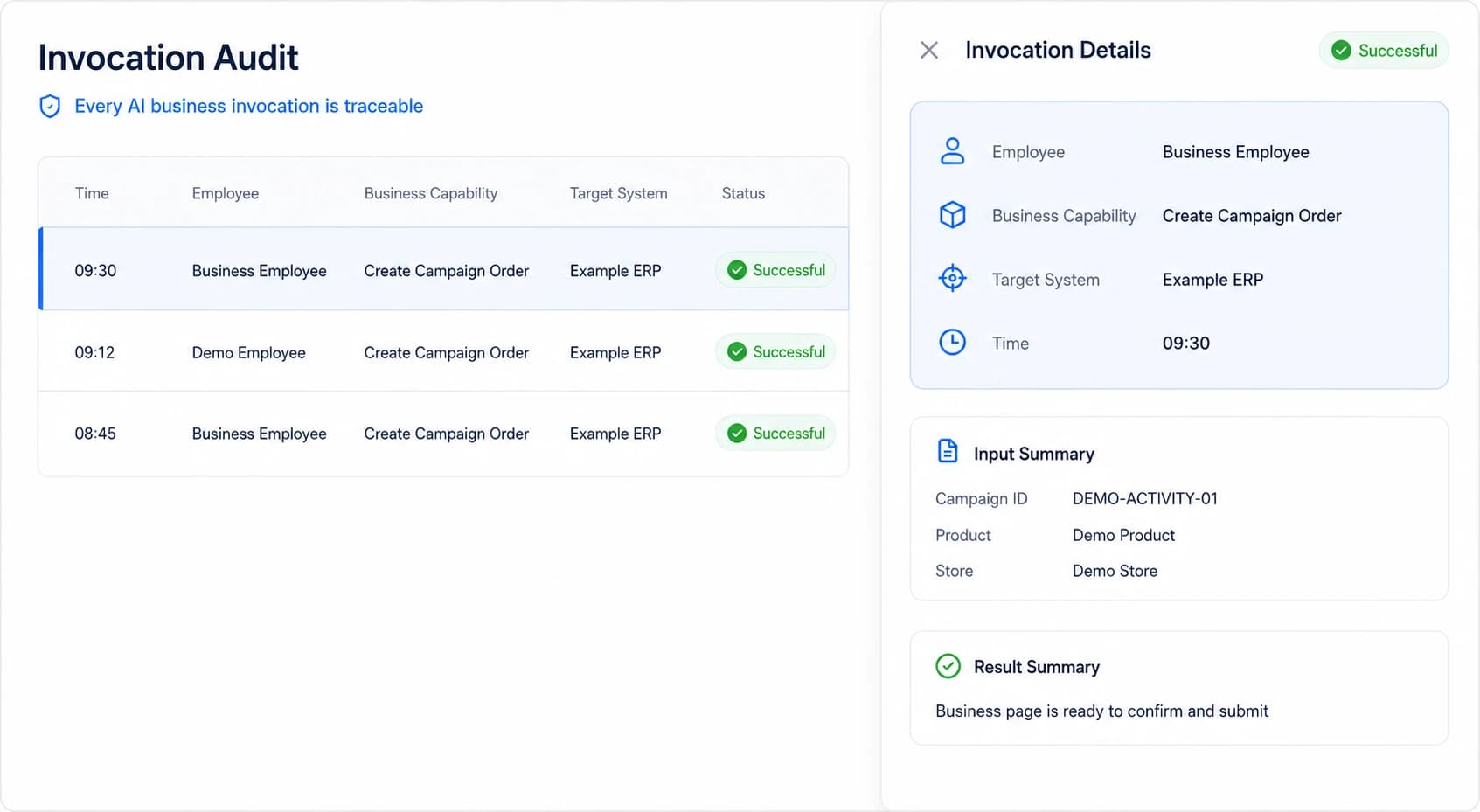
- ✓ Employee & System
- ✓ Capability & Time
- ✓ Input/Output Summary
- ✓ Result
- ✓ Query & Export
ACCESS CHANGES & REVOCATION
Role, Account and Access Changes Apply to the Next Request
Nebula PLUS does not permanently cache employee business permissions. Target-system changes apply from the next invocation; revoking an employee, group or organization grant in the connector blocks future calls immediately and stops in-progress calls.
- 01
Access Changes
Role transfer, departure, account disablement or business-scope update
- 02
Identity and Access Are Re-evaluated
The next invocation reads the employee’s currently valid scope
- 03
Revocation Applies Immediately
Future calls are blocked and incomplete calls are stopped
FAQ
Common Security Evaluation Questions
Can AI bypass source-system permissions?
No. Each request maps to a real employee, and the target system’s functional and data access determine the effective scope.
Does AI automatically submit every action?
No. Create, update, delete and approval actions require confirmation by default. Each capability may require confirmation or allow automatic execution.
What does the audit record include?
Input parameters, output results or summaries can be queried and exported by employee, system, capability, time and result. Retention is configured by the enterprise and sensitive fields can be masked.
When do employee access changes take effect?
Target-system changes apply on the next call. Connector authorization revocation blocks future calls immediately and stops incomplete calls.
Must we change existing deployment boundaries?
No redesign is required as a prerequisite. The assessment determines a connection approach based on current architecture, security requirements and the target scenario.
Start With One Real Scenario and Define the Security Boundary
Align employee identity, target systems, functional and data scope, confirmation points and audit requirements.