
Fragmented context
Order, inventory, customer and approval states must be checked together.
ERP AI CONNECTION SOLUTION
Connect ERP with order, customer, inventory and related systems so employees can query operations, analyze causes and prepare business work in one AI workspace.
WHY CONNECTION MATTERS
The answer often spans orders, inventory, customers and approvals rather than one ERP screen.
Order, inventory, customer and approval states must be checked together.
AI must act for the current employee, not through a super account.
Key creates and updates should retain original pages and human confirmation.
ERP BUSINESS SCENARIOS
Each scenario starts with one employee request and returns a reviewable result within that employee’s existing access.
Relate orders, customers, inventory and fulfillment
Align product, organization and time definitions
Extract, validate and prefill the original page
Business process storyboards only. They do not represent a named customer outcome or fabricated business metrics.
HOW IT WORKS
Nebula PLUS reuses existing data, APIs and business pages while carrying employee identity, access decisions, confirmation and invocation records through the workflow.
Describe the query, analysis or action in plain language
Match the employee and available business capabilities
Retrieve data, invoke functions or open pages within access
Review sources, confirm key information and decide whether to submit
REAL PRODUCT PROOF
This real Nebula PLUS interface shows how an existing system capability receives defined inputs, outputs and business meaning before it is published for AI use. It uses demo data and is not a named customer outcome.
Explore Product Evidence →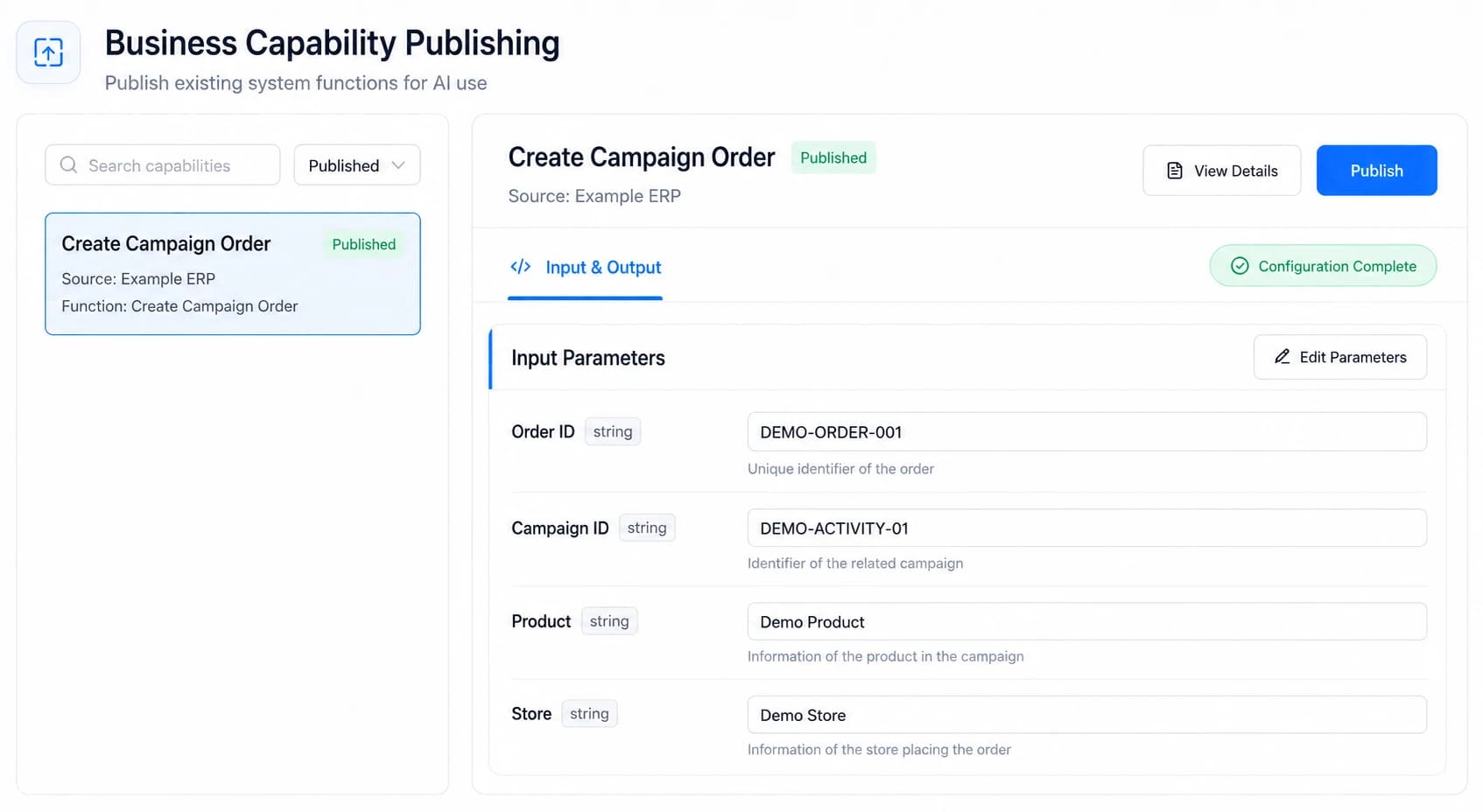
KEEP THE EXISTING SYSTEM
Orders, customers, inventory and operating information
Queries and actions already available in the enterprise
Keep existing validation, approval and submission logic
Functional and data access remain in force
Real employee identity, functional access, data access, human confirmation and invocation audit stay in the workflow.
TWO WAYS TO START
Confirm business value, system scope, access boundaries and acceptance results before expanding.
Reuse customer relationships, integration experience and delivery teams for ongoing connection services.
Explore Partner ProgramFAQ
No. The solution first assesses and reuses existing ERP data, APIs, pages, employee identity and access.
Yes. Assess read-only data, existing APIs and original pages, then start with a clearly bounded query.
Not by default. Query and validation may be automated, while key business actions require employee confirmation.
No. This is a solution based on verified product capabilities. There is currently no public AI System Connector customer case.